
Best AI Tools for Freelancers in 2026: Work Faster and Earn More
This guide focuses on AI Tools for Freelancers that solve real client-work problems: writing faster, researching better, designing cleaner assets, organizing projects, creating meeting notes, and improving delivery quality.
The goal is not to list random apps. The goal is to show how freelancers can use each AI tool responsibly, keep human quality control, and build a repeatable workflow that clients can trust.

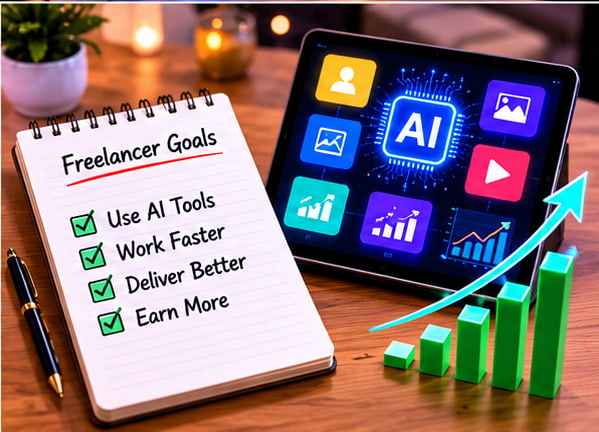
Freelancing is changing quickly because artificial intelligence is now part of everyday client work. In 2026, freelancers can use AI tools to write faster, research better, create designs, plan projects, automate tasks, improve communication, and deliver more professional results.
But AI does not replace skill. It supports skill. A beginner freelancer still needs good communication, clear thinking, editing, client understanding, and consistent practice. The best results come when you use AI as an assistant, not as a shortcut.
In this guide, you will learn about the best AI tools for freelancers in 2026 and how each tool can help you save time, improve quality, and build better services for clients.
If you are completely new to AI, first read our beginner guide: Beginners guide to artificial intelligence in 2026.
Why Freelancers Should Use AI Tools
Freelancers often handle many tasks at the same time. They need to find clients, write proposals, research projects, create content, design visuals, manage deadlines, send updates, and deliver work on time. That is why many professionals now rely on AI Tools for Freelancers to manage work more efficiently and improve productivity.
For example, a content writer can use AI to create outlines and improve grammar. A designer can use AI to brainstorm ideas and create visual drafts. A social media manager can use AI to plan captions and content calendars. A virtual assistant can use AI to summarize emails, organize tasks, and automate repetitive work.
The biggest benefit of using AI Tools for Freelancers is speed and efficiency. These tools help freelancers complete routine work faster so they can focus more on quality, strategy, creativity, and strong client relationships.
1. ChatGPT for Writing, Planning, and Client Work

ChatGPT is one of the most useful AI tools for freelancers because it can help with many types of work. You can use it for writing proposals, creating content outlines, improving emails, brainstorming service ideas, preparing client questions, and simplifying complex topics.
Best use cases:
- Write freelance gig descriptions
- Draft client proposals
- Create blog outlines
- Improve email replies
- Generate social media content ideas
- Turn rough notes into organized content
Example prompt: Act as a freelance content strategist. Help me create a clear proposal for a client who needs four SEO blog posts per month. Include project scope, timeline, deliverables, and a professional closing message.
Freelancer tip: Do not send AI text without editing. Always add your own examples, client details, and natural tone.
Related guide: Best ChatGPT Prompts for Beginners to Make Money in 2026
2. Canva AI for Freelance Design and Social Media Content
Canva is useful for freelancers who create social media posts, presentations, thumbnails, ads, flyers, and simple brand designs. Its AI features can help generate design ideas, write short text, remove backgrounds, resize designs, and create quick visual drafts.
Best use cases:
- Social media posts
- YouTube thumbnails
- Presentation designs
- Instagram carousels
- Freelance portfolio graphics
- Client brand templates
Example prompt: Create a clean Instagram carousel design about five AI productivity tips for freelancers. Use a professional style and short text for each slide.
Freelancer tip: Use AI-generated designs as a starting point. Improve fonts, spacing, colors, and branding before delivering final work to a client.
3. Grammarly for Professional Writing and Client Communication
Grammarly is one of the most useful AI Tools for Freelancers because it helps improve grammar, clarity, tone, and readability. This is especially useful for proposals, emails, blog posts, website copy, and client reports.
Best use cases:
- Improve grammar
- Make emails sound professional
- Check tone before sending messages
- Rewrite unclear sentences
- Improve blog post readability
Example use: Before sending a proposal, paste your draft into Grammarly and improve clarity, grammar, and tone. This helps freelancers look more professional, communicate better with clients, and improve the quality of their work using smart AI Tools for Freelancers.
Freelancer tip: Clear communication can help you win more clients. Even a strong skill can look weak if your proposal is confusing or difficult to understand.
4. Perplexity for Research and Fact Checking
Perplexity is useful for research because it can help find answers, compare information, and explore topics quickly. Freelancers can use it before writing articles, preparing strategy documents, or learning about a client’s industry.
Best use cases:
- Topic research
- Market research
- Content fact checking
- Competitor research
- Finding useful sources
Example prompt: Find recent information about how small businesses are using AI for customer support. Summarize the key points and include source links.
Freelancer tip: Always verify important facts from original sources. AI research tools can save time, but the final responsibility is yours.
5. Notion AI for Notes, Planning, and Project Organization
Notion is helpful for freelancers who want to organize projects, notes, content calendars, client details, and task lists. Notion AI can summarize notes, improve drafts, create checklists, and help structure project plans.
Best use cases:
- Client project dashboards
- Content calendars
- Meeting notes
- Task lists
- Freelance workflow planning
- Knowledge base creation
Example prompt: Turn these client notes into a project plan with milestones, deliverables, deadlines, and questions I should ask before starting.
Freelancer tip: Create one dashboard for each client. Keep briefs, deadlines, links, invoices, and updates in one place.
6. Zapier for Freelance Automation
Zapier is one of the most practical AI Tools for Freelancers because it helps connect different apps and automate repetitive tasks. Freelancers can use Zapier to automatically save form responses, send email notifications, create tasks, update spreadsheets, and move client information between different platforms without manual work.
Best use cases:
- Automate client onboarding
- Save leads from forms
- Create tasks from emails
- Send reminders
- Connect Google Sheets, Gmail, Trello, Slack, and other apps
Example automation: When a new client fills out a contact form, Zapier can automatically add the lead to Google Sheets, create a task in Trello, and send an email notification. This type of automation helps freelancers save time and manage projects more efficiently using smart AI Tools for Freelancers.
Freelancer tip: Automation is powerful for freelancers who handle many small tasks every day. Start with one simple workflow before building advanced systems and complex automations.
7. ClickUp AI or Trello AI for Task Management
Task management tools help freelancers stay organized. ClickUp and Trello are useful for planning projects, tracking deadlines, managing client work, and breaking large projects into smaller tasks.
Best use cases:
- Project planning
- Deadline tracking
- Content workflow management
- Client revision tracking
- Team collaboration
Example use: Create columns for New, In Progress, Waiting for Client, Revision, and Completed. Add each client task as a card with due dates and notes.
Freelancer tip: Clients trust freelancers who are organized. A simple task board can prevent missed deadlines and confusion.
8. Fireflies or Otter for Meeting Notes
Meeting note tools help freelancers record, transcribe, and summarize client meetings. This is useful when clients explain project requirements during calls.
Best use cases:
- Meeting transcription
- Call summaries
- Action item lists
- Client requirement notes
- Follow-up emails
Example use: After a client call, use the transcript summary to create a list of deliverables, deadlines, and questions. Then send a short follow-up email to confirm everything.
Freelancer tip: Always ask for permission before recording or transcribing a meeting. This protects trust and avoids privacy issues.
9. Google Gemini for Research, Drafting, and Workspace Tasks
Google Gemini can help freelancers with writing, research, brainstorming, summarizing, and productivity tasks. It is especially useful if you already use Google Docs, Gmail, Sheets, or other Google tools.
Best use cases:
- Summarize documents
- Draft emails
- Brainstorm content ideas
- Create outlines
- Improve productivity inside Google workflows
Example prompt: Summarize this client brief into goals, deliverables, target audience, tone, and next steps.
Freelancer tip: Use Gemini to speed up planning and organization, then review everything manually before sending it to a client.
10. Claude for Long-Form Writing and Document Review
Claude can be helpful for freelancers who work with long documents, detailed writing, editing, summaries, and structured thinking. It can support content writers, researchers, consultants, and virtual assistants.
Best use cases:
- Long-form content drafts
- Document summaries
- Editing and rewriting
- Client brief analysis
- Strategy outlines
Example prompt: Review this service proposal and improve it for clarity, professionalism, and client trust. Keep the tone friendly and confident.
Freelancer tip: Use Claude or similar AI assistants for careful review, but do not depend on them for facts without checking sources.
ChatGPT by OpenAI is one of the most popular AI tools for freelancers in 2026.
Quick Comparison Table
| Tool | Best For | Freelancer Use |
|---|---|---|
| ChatGPT | Writing and planning | Proposals, outlines, emails, content ideas |
| Canva AI | Design | Social posts, thumbnails, presentations |
| Grammarly | Writing improvement | Grammar, clarity, tone, professional emails |
| Perplexity | Research | Topic research, source discovery, fact checking |
| Notion AI | Organization | Client dashboards, notes, project planning |
| Zapier | Automation | Lead capture, task creation, workflow automation |
| ClickUp or Trello | Task management | Deadlines, project boards, revision tracking |
| Fireflies or Otter | Meeting notes | Transcripts, summaries, action items |
| Google Gemini | Productivity | Docs, email drafts, summaries, research |
| Claude | Long-form review | Editing, summaries, detailed writing |
How Beginners Can Start Freelancing with AI
If you are new to freelancing, do not try to learn every AI tool at once. Start with one service and two or three tools.
For example, if you want to become a content writer, start with ChatGPT, Grammarly, and Perplexity. Use ChatGPT for outlines, Grammarly for editing, and Perplexity for research. Once you become comfortable, add Canva for images or Notion for organization.
If you want to offer social media services, start with ChatGPT and Canva. Use ChatGPT for captions and content ideas, then use Canva to create posts and carousels.
If you want to become a virtual assistant, start with ChatGPT, Notion, Google tools, and Zapier. These tools can help you manage tasks, organize client information, and automate simple workflows.
Related guide: How to Make Money with AI for Beginners in 2026
Best Freelance Services You Can Offer with AI
After learning the right AI Tools for Freelancers, beginners can start offering many useful and profitable freelance services online. These tools help freelancers work faster, improve quality, and handle client projects more efficiently.
Here are beginner-friendly services you can offer:
- Blog post writing assistance
- Social media captions
- Instagram carousel design
- YouTube script outlines
- Resume and cover letter writing
- Product description writing
- Email newsletter drafts
- Basic SEO content outlines
- Presentation design
- Virtual assistant support
- Client meeting summaries
- Simple automation setup
Many freelancers now use AI Tools for Freelancers to improve productivity, create better content, manage projects, and deliver work more professionally. Whether you want to become a writer, designer, virtual assistant, or social media manager, AI can help you build skills and complete tasks more efficiently.
Start small. Choose one service, practice it regularly, create sample work, and then offer it on platforms like Fiverr, Upwork, LinkedIn, Facebook groups, or your own website.
Related guide: Make Money with AI in Pakistan
Related guide: Make Money with AI in Pakistan: 7 Powerful Ways for Beginners in 2026
Mistakes Freelancers Should Avoid When Using AI
AI can help freelancers, but it can also create problems if used carelessly. Avoid these common mistakes:
- Sending AI content without editing
- Copying fake facts or outdated information
- Ignoring client instructions
- Using the same generic proposal for every client
- Promising results you cannot deliver
- Sharing private client data with AI tools without permission
- Depending on AI instead of improving your own skills
Clients pay for results, not just AI-generated text. Your value comes from understanding the client’s problem and using AI to solve it better.
Practical AI Workflow for Freelancers
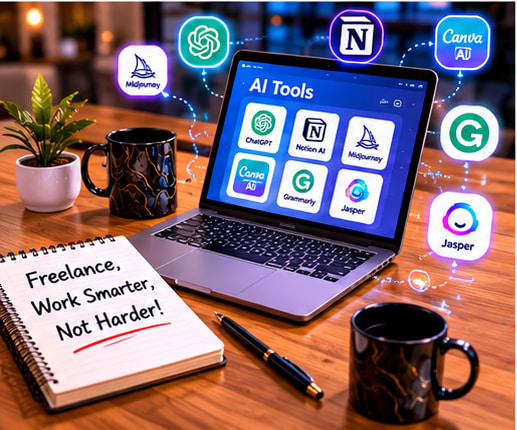
Here is a simple workflow you can follow:
- Read the client brief carefully.
- Ask ChatGPT to turn the brief into a checklist.
- Research the topic using Perplexity or official sources.
- Create an outline with ChatGPT or Claude.
- Draft the work in your own style.
- Improve grammar and clarity with Grammarly.
- Create visuals in Canva if needed.
- Organize tasks and deadlines in Notion, Trello, or ClickUp.
- Send a clear update to the client.
- Review the final work manually before delivery.
This workflow helps you work faster while still keeping quality high.
Final Thoughts
The best AI tools for freelancers in 2026 are the tools that help you work faster, communicate better, and deliver stronger results to clients. ChatGPT, Canva, Grammarly, Perplexity, Notion, Zapier, ClickUp, Trello, Fireflies, Otter, Gemini, and Claude can all support different parts of freelance work.
But remember: AI is only a tool. Your success depends on learning real skills, understanding client needs, editing carefully, and delivering reliable work. Start with a few tools, practice daily, and build a simple service that solves a real problem.
Frequently Asked Questions
What are the best AI tools for freelancers in 2026?
Some of the best AI tools for freelancers are ChatGPT, Canva AI, Grammarly, Perplexity, Notion AI, Zapier, ClickUp AI, Fireflies, Google Gemini, and Claude. The best choice depends on your freelance service.
Can beginners use AI tools for freelancing?
Yes. Beginners can use AI tools for writing, research, design ideas, social media content, project planning, and client communication. Human editing and quality checking are still important.
Should freelancers send AI-generated work directly to clients?
No. Freelancers should review, edit, fact-check, and personalize AI-generated work before sending it to clients. This protects quality and builds trust.
AI Tools for Freelancers Practical Checklist for 2026
AI Tools for Freelancers works best when a beginner follows a clear checklist: understand the goal, choose the right tool, create a simple workflow, review the result, and improve the final output before publishing or sending it to a client.
Why AI Tools for Freelancers matters for beginners
AI Tools for Freelancers matters because it helps beginners save time, avoid random effort, and build useful examples that can support study, freelancing, blogging, content creation, or online earning.
How to practice AI Tools for Freelancers
The best way to practice AI Tools for Freelancers is to complete one small task every day, save before-and-after examples, and write down what changed after review.
Common AI Tools for Freelancers mistake
A common AI Tools for Freelancers mistake is copying AI output without checking facts, tone, formatting, and reader value. Always add your own context and final judgment.
AI Tools for Freelancers action steps
- Use AI Tools for Freelancers with a clear goal and audience.
- Review AI Tools for Freelancers output for accuracy and usefulness.
- Save your best AI Tools for Freelancers examples for future portfolio or blog updates.
Freelancers who want to present their skills professionally should also follow this AI Resume Guide Pakistan before sending proposals.
Related comparison: If you are still choosing your first AI assistant, read this ChatGPT vs Gemini vs Claude vs Perplexity guide for beginners before paying for any tool.
Related guide: If you create short videos, also read this AI video editing tools workflow for YouTube Shorts, Reels and TikTok to improve captions, scripts, thumbnails, and editing speed.
Pingback: Make Money with AI in Pakistan: 7 Powerful Ways for Beginners in 2026
Pingback: Canva AI Guide for YouTube Thumbnails and Social Media 2026 - Smart AI Tips Hup
Pingback: AI Freelancing in Pakistan: Complete Beginner Roadmap 2026 - Smart AI Tips Hup