

ChatGPT vs Gemini vs Claude vs Perplexity: Quick Beginner Verdict
Choosing between ChatGPT, Gemini, Claude, and Perplexity is not really about finding one perfect AI tool. For a beginner, the better question is simple: which tool will help me finish my actual work today?
Each tool has its own personality. ChatGPT is flexible for everyday writing, planning, learning, and brainstorming. Gemini is useful when your work already lives around Google apps. Claude is strong when you want calm, careful writing and longer drafts. Perplexity is the quickest choice when you need sources, links, and fresh research.
This ChatGPT vs Gemini vs Claude vs Perplexity guide keeps the comparison practical. You will see where each tool fits, when to use it, what to avoid, and how a beginner can combine them without wasting money on too many subscriptions.
Quick answer: Start with ChatGPT if you want one flexible tool for daily work. Add Perplexity when sources matter, Claude when you need polished long-form writing, and Gemini when Google tools are part of your workflow.
Table of Contents
ChatGPT vs Gemini vs Claude vs Perplexity: Quick Comparison
| Tool | Best for | Beginner strength | Main caution |
|---|---|---|---|
| ChatGPT | Writing, planning, learning, prompts, everyday tasks | Most flexible starting point | Still verify important facts |
| Gemini | Google ecosystem, search-style answers, Gmail/Docs style workflows | Useful if you already use Google tools | Feature availability can depend on country, plan, and account |
| Claude | Long drafts, careful writing, summaries, reusable artifacts | Strong for thoughtful content and structured work | Not always the fastest choice for web-first research |
| Perplexity | Research, cited answers, source discovery, topic exploration | Best when you need links and sources quickly | Not ideal as your only writing assistant |
For beginners, the best AI tool is not always the tool with the biggest model name. The best tool is the one that helps you finish real work. If your task is writing a blog outline, ChatGPT vs Gemini vs Claude vs Perplexity may lead you to ChatGPT or Claude. If your task is checking fresh information, the same comparison may lead you to Perplexity or Gemini.
Best Overall AI Tool for Beginners in 2026
For most beginners, ChatGPT is still the best overall first tool. The reason is not only answer quality. The reason is workflow flexibility. You can use it for learning a new topic, creating outlines, improving English, brainstorming business ideas, writing social posts, planning study routines, summarizing notes, and practicing prompts.
OpenAI's official help pages describe Projects as workspaces where chats, uploaded files, and instructions stay together for long-running work. That matters for beginners because it lets you create a project for blogging, study, freelancing, or business planning instead of starting from zero every time. OpenAI also explains that ChatGPT memory can make responses more personalized when enabled.
This does not mean ChatGPT is perfect. It can still be wrong. It can still sound confident when it should be careful. But as a first tool, it gives beginners a wide working area. You can ask it to explain, rewrite, plan, compare, quiz you, create checklists, or turn rough notes into useful structure.
If you are building a website, freelancing profile, student workflow, or content plan, ChatGPT is a good starting tool. After that, you can add Perplexity for source checking, Claude for polishing long-form writing, and Gemini when you need Google-connected workflows.
When ChatGPT Is the Best Choice
- You want one AI tool for many everyday tasks.
- You need help writing outlines, drafts, emails, captions, summaries, or study notes.
- You want to organize long-running work with projects, files, and instructions.
- You want to practice prompts and improve your workflow over time.
- You are reading ChatGPT for Blogging and want a practical AI writing partner.
A beginner example: ask ChatGPT to create a blog outline, then ask it to turn each heading into a simple paragraph, then ask it to add examples, then check the facts manually. This is much better than asking for one full article and publishing it without review.
When Gemini Is the Best Choice
Gemini is especially useful for users who already depend on Google's ecosystem. Google's Gemini Apps Help includes topics such as Gemini in other Google products, connected apps, Gems, Canvas, image and video generation, learning tools, and response double-checking. That makes Gemini useful for people who want an AI assistant around Google-style productivity.
For students and office users, Gemini can be a comfortable choice because many people already use Google Search, Gmail, Docs, Drive, YouTube, and Android. The real strength is convenience. If your files, notes, and daily workflow are already in Google's world, Gemini can feel natural.
The caution is that Gemini features can vary by plan, country, age, account type, and product availability. Beginners should not assume every feature shown in a video will be available on their account. Always check your own Gemini interface before building a workflow around one feature.
- Choose Gemini if you use Google products every day.
- Use it for quick explanations, research support, study tasks, and productivity planning.
- Use the double-check mindset when answers affect decisions.
- Pair it with the AI Search Guide when source quality matters.
When Claude Is the Best Choice
Claude is a strong choice when you care about careful writing, long-form structure, thoughtful summaries, and reusable content. Anthropic's official help explains that Claude Artifacts are for substantial, self-contained content that you may want to edit, reuse, or reference later. That makes Claude useful for drafts, plans, tools, guides, and structured documents.
For beginners, Claude can feel calmer and more deliberate. If you are writing a long guide, building a lesson plan, creating a client document, or improving a complex article, Claude is often a good second tool after ChatGPT. Many users like it for tone, clarity, and long-form editing.
The practical way to use Claude is simple: give it your rough draft and ask it to improve structure, remove repetition, make the writing clearer, and keep the meaning natural. Do not ask it to invent personal experience. Use it to polish real work, not to create fake expertise.
- Choose Claude for long-form writing and structured documents.
- Use artifacts when you want reusable drafts, tables, tools, or visual content.
- Use it to improve tone, clarity, and organization.
- Still verify facts before publishing or sending client work.
When Perplexity Is the Best Choice
Perplexity is best when your main need is AI search, research, and sources. Perplexity's official help describes Spaces as dedicated research workspaces where users can organize searches and threads by topic or project. It also describes source options such as web search, academic papers, social threads, and files depending on plan.
For beginners, Perplexity is useful because it pushes you toward source-based research. Instead of only reading an AI answer, you can open the cited pages and verify the information. This is important for blogging, product research, study, finance research, health topics, legal topics, and anything where being wrong has consequences.
Perplexity is not always the best tool for polished writing. It can help create summaries and outlines, but its biggest value is finding and comparing information quickly. Use it before writing, not only after writing. Search the topic, collect sources, check dates, and then write your own structure.
- Choose Perplexity when citations and source discovery matter.
- Use it for topic research before writing a blog post.
- Use Spaces to organize research around one project.
- Use it with Best AI Tools for Beginners if you are building a beginner AI toolkit.
ChatGPT vs Gemini vs Claude vs Perplexity for Daily Work
For daily work, ChatGPT vs Gemini vs Claude vs Perplexity is mostly a question of workflow. ChatGPT is usually the easiest all-rounder. Gemini makes sense when your work is close to Google. Claude is comfortable for longer writing and careful editing. Perplexity is best when you want to start with sources instead of a blank answer.

Best AI Tool by Use Case
| Use case | Best first choice | Why |
|---|---|---|
| Learning a new topic | ChatGPT or Gemini | Both explain topics in beginner language and can create quizzes or study plans. |
| Research with sources | Perplexity | It is built around web search, sources, and research organization. |
| Long article editing | Claude | It is strong for structure, clarity, long-form writing, and reusable drafts. |
| Blog outlines | ChatGPT | It is flexible and easy for content planning, keyword ideas, and structure. |
| Google workflow | Gemini | It fits naturally with Google’s product ecosystem. |
| Client documents | Claude or ChatGPT | Both can polish drafts, but Claude is especially useful for longer documents. |
| Prompt practice | ChatGPT | It is a good place to learn prompt engineering and iterate quickly. |
Beginner Workflow: Use All Four Without Getting Confused
The mistake beginners make is opening four AI tools and asking the same vague question in each one. That wastes time. A better workflow gives each tool a clear job.
- Step 1: Use Perplexity to research the topic and collect sources.
- Step 2: Use ChatGPT to turn the research into an outline and action plan.
- Step 3: Use Claude to polish the long-form draft or improve structure.
- Step 4: Use Gemini if your workflow needs Google-style productivity, files, or quick double-checking.
- Step 5: Add your own examples, screenshots, judgment, and final review before publishing.
This workflow is simple, but it makes your work feel much stronger. Readers do not need another generic AI article. They need clear examples, honest limits, useful structure, and a real reason to trust what they are reading.
Best Tool Combinations for Different Beginner Goals
A smart beginner does not need to choose only one AI tool forever. A better approach is to create a small two-tool or three-tool setup based on your goal. This keeps the workflow simple while still giving you the strengths of each platform.
For students
Use Gemini or ChatGPT for explanations, study plans, quizzes, and flashcard-style practice. Add Perplexity when you need sources for assignments, research topics, or updated information. If you are writing a long essay draft, Claude can help improve structure and clarity before you do the final review.
For bloggers
Use Perplexity first to collect sources and understand what people are searching for. Use ChatGPT to create the outline, meta description, and internal link ideas. Use Claude to remove repetition, improve flow, and make the article sound more natural. This combination is much stronger than asking one AI tool to write everything in one prompt.
For freelancers
Use ChatGPT for client messages, proposals, checklists, and project planning. Use Claude for polishing client documents and long deliverables. Use Perplexity when a client asks for market research, tool comparison, or source-backed summaries. Gemini can help if the client workflow is already inside Google Docs, Gmail, Drive, or Android.
For creators
For video work, use ChatGPT to shape ideas, hooks, captions, and content calendars. Gemini can help when your research starts from Google or YouTube. Perplexity is useful before publishing educational content because it helps you check sources. Claude is helpful when a script, voiceover, or long caption needs to sound smoother and less rushed.
Real Example: Writing a Beginner Blog Post
Imagine you want to write a blog post about the best free AI tools for students. Here is a practical workflow:
- Use Perplexity to search for current tools and open official pages.
- Use ChatGPT to create a beginner-friendly outline with H2 and H3 sections.
- Use Gemini to brainstorm study examples for Google Docs, YouTube, and Android users.
- Use Claude to improve the final article flow and remove repeated points.
- Add your own screenshots, tool tests, pros, cons, and recommendations.
- Internally link to AI Tools for Students and related guides on your site.
This is how beginners should use AI in 2026: not as a magic writer, but as a research assistant, editor, planner, and workflow partner.
Pros and Cons for Beginners
ChatGPT pros and cons
- Pros: flexible, easy to start with, strong for writing and planning, and useful when you want to keep related work organized.
- Cons: important facts still need checking, and weak prompts can lead to average content.
Gemini pros and cons
- Pros: useful for Google users, strong ecosystem, helpful for learning and productivity tasks.
- Cons: features vary by account and region, and beginners should confirm what is available before relying on it.
Claude pros and cons
- Pros: strong long-form writing, thoughtful editing, useful artifacts for reusable work.
- Cons: not always the most natural first choice for web-first research.
Perplexity pros and cons
- Pros: strong source-based research, fast topic discovery, useful research spaces.
- Cons: not always the best final writing tool and sources still need human review.
Which AI Tool Should You Pay For First?
Do not pay for every AI tool at the beginning. Start free where possible. Use one tool consistently for two weeks, then decide what limitation is actually slowing you down.
- Pay for ChatGPT first if you need one flexible tool for daily work, writing, planning, and projects.
- Pay for Perplexity first if your work depends on research, sources, market checking, or current information.
- Pay for Claude first if your main work is long-form writing, editing, and structured documents.
- Pay for Gemini first if you are deeply inside Google products and its paid features match your workflow.
The best paid AI tool is the one that saves time every week. If a tool only feels exciting but does not help you finish work, stay on the free plan.
Common Mistakes Beginners Should Avoid
- Using AI answers without checking facts.
- Publishing plain AI content without examples, screenshots, testing notes, or personal judgment.
- Buying multiple subscriptions before learning one workflow.
- Asking vague prompts like ‘write an article’ instead of giving audience, goal, structure, and examples.
- Ignoring privacy when uploading sensitive files.
- Using AI tools to copy competitors instead of building something helpful from your own angle.
- Skipping prompt practice instead of learning from an AI Prompt Engineering Guide.
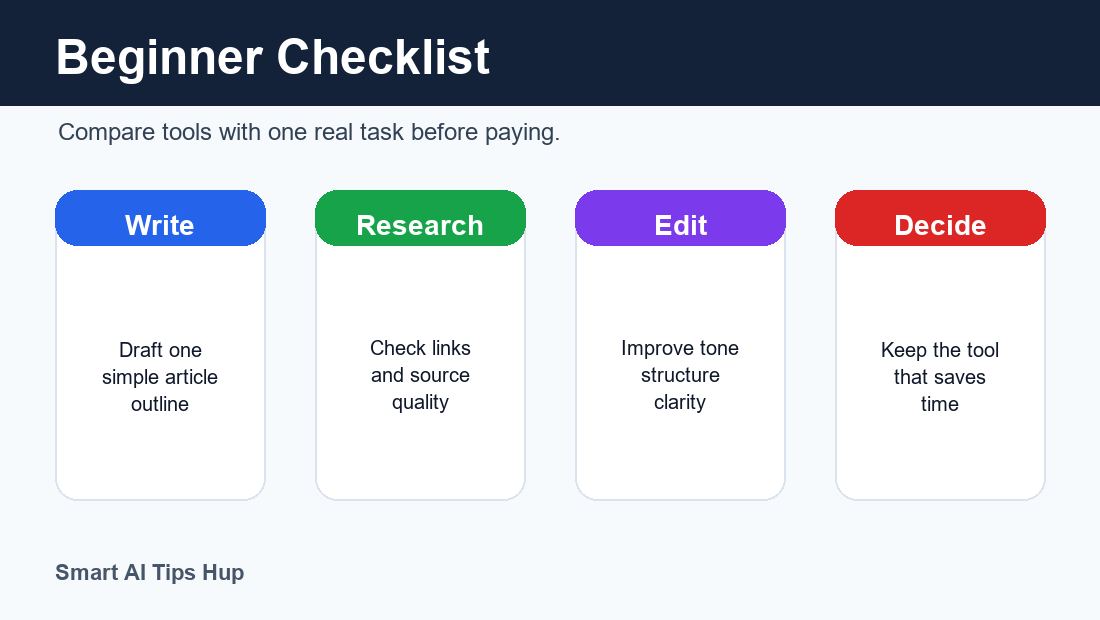
ChatGPT vs Gemini vs Claude vs Perplexity Final Checklist
- Choose ChatGPT when you want one flexible AI assistant for learning, writing, planning, and prompts.
- Choose Gemini when your daily work already depends on Google search, Docs, Gmail, or related tools.
- Choose Claude when you want smoother long-form drafts, summaries, and structured documents.
- Choose Perplexity when your main need is research, links, citations, and quick source discovery.
The best beginner setup is not complicated: start with one main tool, then add another only when your work clearly needs it. That is the cleanest way to use this ChatGPT vs Gemini vs Claude vs Perplexity guide without wasting money.
Final Recommendation
If you want the simplest answer to ChatGPT vs Gemini vs Claude vs Perplexity, start with ChatGPT, add Perplexity for research, use Claude for long-form polishing, and use Gemini when Google productivity is important to your daily work.
For beginners in 2026, the goal is not to pick a winner forever. The goal is to build a small AI toolkit. One tool helps you think, one tool helps you research, one tool helps you polish, and one tool fits your daily apps. Used this way, AI becomes a practical assistant instead of a confusing collection of tabs.
FAQs
Which is best for beginners: ChatGPT, Gemini, Claude, or Perplexity?
ChatGPT is the best first choice for most beginners because it is flexible for learning, writing, planning, and everyday tasks. Perplexity is best for research, Claude is best for long-form writing, and Gemini is best for Google users.
Is Perplexity better than ChatGPT for research?
Perplexity is often better for source-based research because it is designed around search and citations. ChatGPT is often better for turning research into plans, drafts, and explanations.
Is Claude better than ChatGPT for writing?
Claude is very strong for long-form writing, careful editing, and structured drafts. ChatGPT is more flexible as an all-round daily assistant. Many writers use both.
Is Gemini worth using if I already use Google apps?
Yes, Gemini can be useful if your workflow already depends on Google products. Check your account because Gemini feature availability can vary by region, plan, and account type.
Should beginners use all four AI tools?
Not at first. Start with one main tool. Add another tool only when you have a clear reason, such as research sources, long-form editing, or Google workflow support.
Can I trust AI answers without checking?
No. Always verify important facts, dates, prices, laws, health information, financial information, and anything you plan to publish or use for decisions.
Further Reading From Official Help Pages
- OpenAI Projects in ChatGPT
- OpenAI Memory in ChatGPT
- Google Gemini Apps Help
- Claude Artifacts Help
- Perplexity Spaces Help
ChatGPT vs Gemini vs Claude vs Perplexity Testing Plan
A beginner should test ChatGPT vs Gemini vs Claude vs Perplexity with one real task, not random questions. For example, ask each tool to explain a topic, create an outline, improve a paragraph, and suggest sources.
When you compare ChatGPT vs Gemini vs Claude vs Perplexity this way, the differences become easier to see. ChatGPT usually feels flexible, Gemini can be useful for Google-connected work, Claude often improves long writing, and Perplexity helps when research links matter.
The best ChatGPT vs Gemini vs Claude vs Perplexity decision is the one that saves time without lowering quality. If a tool gives a confident answer but weak sources, check it again before using it in a blog, client project, or study assignment.
For most beginners, ChatGPT vs Gemini vs Claude vs Perplexity should be treated as a workflow choice. Use one main tool for daily work, then add another only when your task clearly needs research, editing, or source checking.