
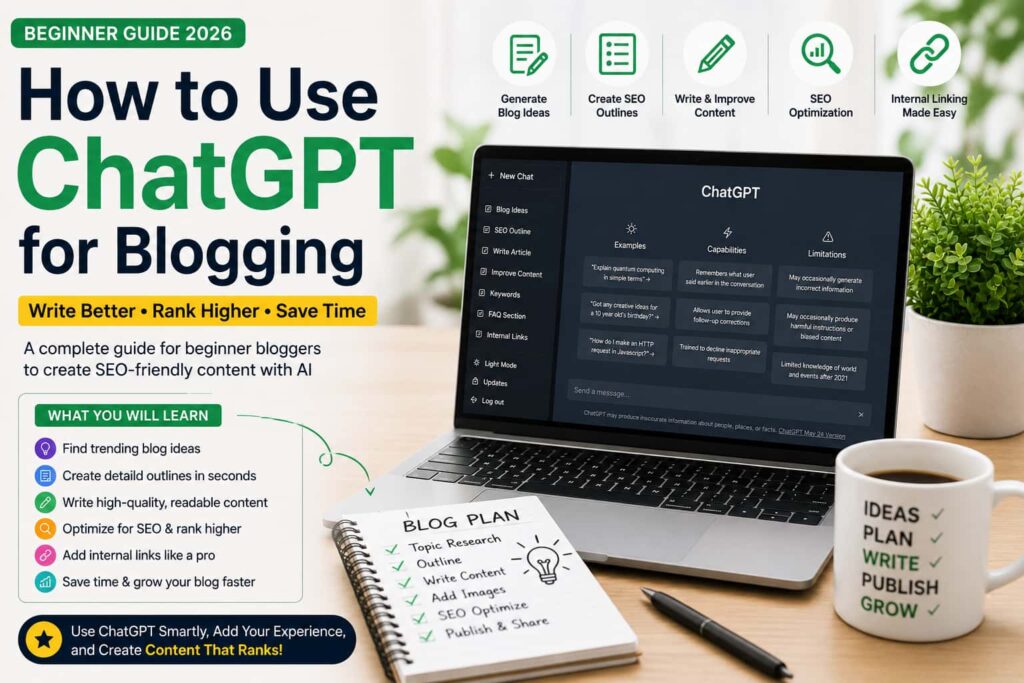
How to Use ChatGPT for Blogging in 2026: Beginner Guide
ChatGPT for blogging is one of the fastest ways for beginners to plan articles, improve writing, organize SEO ideas, and publish useful content with less confusion. In 2026, blogging is no longer only about writing more words. It is about choosing the right topic, solving a clear reader problem, adding real examples, and editing AI output until it sounds helpful and human.
The big mistake many beginners make is simple: they ask AI to write a full article, copy the answer, and publish it without checking facts, structure, readability, or originality. That approach can create thin content. It also makes your blog look similar to thousands of other AI-written posts.
The better method is to use official ChatGPT website as a blogging assistant. Let it help with brainstorming, outlines, examples, FAQs, titles, meta descriptions, and editing. Then add your own experience, local context, screenshots, opinions, and final review. That combination is what makes ChatGPT for blogging powerful.
In this beginner guide, you will learn how to use ChatGPT for blogging in a complete workflow: topic research, keyword planning, blog outlines, writing prompts, readability improvement, internal linking, external linking, fact-checking, and final publishing checks.
Quick Navigation
- Why bloggers should learn ChatGPT
- Best ways to use ChatGPT for blogging
- ChatGPT for blogging workflow example
- SEO content planning and keyword placement
- Best prompt examples for bloggers
- External tools to use with ChatGPT
- Common AI blogging mistakes
- Publishing checklist and FAQs
Why Bloggers Should Learn ChatGPT in 2026
Blogging is more competitive in 2026 because almost every niche now has AI-generated content. Beginners can publish faster than before, but speed alone does not build trust. Search engines and real readers still reward content that is clear, accurate, original, and genuinely useful.
Google’s own guidance focuses on helpful, reliable, people-first content. You can read the official explanation on Google Search Central helpful content guide. The simple lesson for bloggers is this: AI can help you produce content, but the final article must serve the reader first.
When used properly, ChatGPT for blogging can help you:
- Generate beginner-friendly topic ideas.
- Create logical H2 and H3 outlines.
- Rewrite confusing paragraphs in simple English.
- Brainstorm FAQs and reader questions.
- Suggest internal links to related articles.
- Prepare meta descriptions, titles, and social captions.
- Check whether an article answers the main search intent.
The bloggers who grow are not blindly publishing AI text. They are using AI speed with human judgment. That is the main difference between a helpful blog and a low-quality AI spam website.
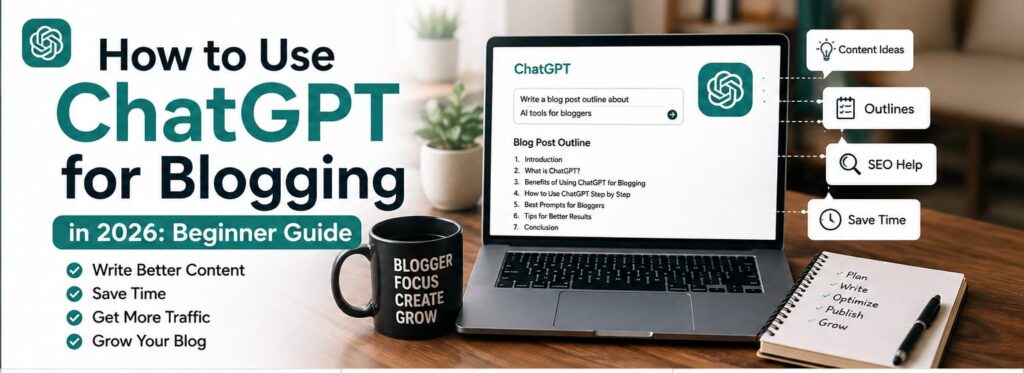
Best Ways to Use ChatGPT for Blogging
1. Find Better Blog Topic Ideas
Many beginners fail before writing because they choose topics that are too broad. A post like “Everything About AI” is difficult to rank and difficult to complete. A better beginner topic is specific, practical, and connected to a clear reader problem.
Use this prompt:
Give me 20 beginner-friendly blog ideas about AI tools for students. Focus on low-competition, practical topics that solve one clear problem.
If your audience is local, make the prompt local too. For example, ask for AI blogging topics for beginners in Pakistan, India, UAE, or your own target country. ChatGPT for blogging works better when the audience is clear.
2. Create Strong Blog Outlines
A weak outline creates a weak article. Before writing, ask ChatGPT to build a structure with one main topic, clear H2 headings, helpful H3 sections, FAQs, and internal link opportunities.
Use this prompt:
Create a beginner-friendly SEO outline for an article about using ChatGPT for blogging in 2026. Include search intent, H2 headings, H3 subheadings, FAQs, internal link ideas, and a short conclusion.
After it gives an outline, do not accept it immediately. Remove repeated sections, add missing steps, and make sure the article flows naturally from beginner basics to practical action.
3. Improve Drafts Section by Section
Do not ask ChatGPT to write one huge post in a single prompt. Long AI outputs often repeat the same ideas. A better method is section-by-section writing. Give it one heading at a time, then edit the answer before moving forward.
Write the section “How ChatGPT Helps Bloggers Create Outlines” in simple English. Keep paragraphs short, add one practical example, and avoid hype.
This workflow keeps the content cleaner. It also gives you more control over tone, examples, and focus keyword placement.
ChatGPT for Blogging Workflow Example
Here is a complete beginner workflow you can follow for every new article.
Step 1: Choose One Clear Topic
Start with one search problem. For example, “how to use ChatGPT for blogging” is clearer than “AI blogging guide” because the reader knows exactly what they will learn.
Step 2: Understand Search Intent
Ask ChatGPT what the reader likely wants. Are they looking for prompts, tools, SEO steps, examples, or a full workflow? Then compare the answer with real search results and competitor articles.
Step 3: Build the Outline
Create H2 headings for the main sections and H3 headings for smaller steps. A beginner article should feel easy to scan on mobile. Short sections are better than one long wall of text.
Step 4: Research Before Writing
AI can suggest ideas, but you still need research. Check official tool pages, product updates, pricing pages, Google documentation, and real examples. If you are writing a WordPress guide, also check WordPress.org for official platform information.
Step 5: Write and Edit
Write section by section. Then ask ChatGPT to improve clarity, reduce repetition, and simplify difficult sentences. Do not let AI remove your personal examples. Human details are what make an article more trustworthy.
Step 6: Add Links, Images, and FAQs
Add relevant internal links to your own blog posts and a few trusted external links. Add image alt text that describes the image naturally. Add FAQs only when they answer real reader questions.
Step 7: Final Quality Check
Before publishing, check the article for broken links, weak paragraphs, duplicate headings, keyword stuffing, missing examples, and unsupported claims. This final review matters more than beginners realize.

Using ChatGPT for SEO Content Planning
ChatGPT can support SEO planning, but it is not a complete SEO tool. It does not always know current search volume, keyword difficulty, or the latest ranking changes. Treat it as a brainstorming assistant, then verify important SEO decisions with reliable tools and real search results.
For basic SEO structure, Google’s official Google SEO Starter Guide is a useful reference. It explains core ideas like helpful pages, descriptive titles, links, and content organization.
How to Use the Focus Keyword Naturally
The focus keyword for this article is ChatGPT for blogging. Use it naturally in the title, introduction, one or two headings, image alt text, meta description, and a few body paragraphs. Do not force the same phrase into every sentence.
A natural keyword plan looks like this:
- Main keyword: ChatGPT for blogging.
- Related terms: AI blogging, blog writing with ChatGPT, ChatGPT prompts for bloggers, SEO content planning, AI-assisted content.
- Reader intent: beginners want practical steps, prompts, mistakes, and a simple workflow.
Good SEO writing should sound helpful first and optimized second. If the paragraph sounds strange when you read it aloud, edit it.
Keyword Research Prompts
Suggest long-tail keywords related to ChatGPT for blogging for complete beginners. Group them by search intent: how-to, tools, prompts, SEO, and mistakes.
What questions do beginner bloggers ask before using ChatGPT to write blog posts?
After generating keyword ideas, choose only the phrases that match your article. Do not add unrelated keywords just because they look popular.
Best Prompt Examples for Bloggers
These prompts are simple enough for beginners and useful enough for real blog production.
For more ready-made examples, also read Best ChatGPT Prompts for Beginners after finishing this guide.
Blog Idea Prompts
- Give me 15 beginner blog topics about AI tools that solve one practical problem each.
- Suggest blog ideas for people learning AI in Pakistan in 2026.
- Create article ideas connected to ChatGPT for blogging, SEO, and beginner content writing.
SEO Outline Prompts
- Create a detailed SEO outline for a beginner article about AI blogging tools.
- Suggest H2 and H3 headings for an article about ChatGPT prompts for bloggers.
- Find missing sections in this outline and improve the flow for beginners.
Writing Improvement Prompts
- Rewrite this paragraph in simple English without changing the meaning.
- Make this introduction clearer for beginner bloggers and remove filler.
- Improve readability, shorten long sentences, and keep a friendly tone.
FAQ Prompts
- Suggest FAQ questions for beginners learning ChatGPT for blogging.
- Generate short FAQ answers for an AI blogging article. Keep answers honest and practical.
Internal Link Prompts
- Suggest internal links from this article to related AI beginner guides.
- Find places where I can link to my posts about AI tools, ChatGPT prompts, freelancing, and making money with AI.
Best External Tools to Use with ChatGPT for Blogging
ChatGPT is useful, but a complete blogging workflow often needs more than one tool. Use a small stack instead of opening ten apps for every article.
Writing and Research Tools
- Official ChatGPT website for outlines, drafts, prompts, FAQs, and editing.
- Google Gemini for comparing answers and researching alternative explanations.
- Perplexity for research-style answers and source discovery.
Editing and Readability Tools
- Grammarly for grammar, clarity, and tone checks.
- WordPress preview mode for checking formatting before publishing.
Design and Image Tools
- Canva for featured images, blog graphics, and simple thumbnails.
- WordPress media library for image alt text, captions, and file organization.
The goal is not to use every AI tool. The goal is to publish better content with less wasted time. For most beginners, ChatGPT for blogging plus WordPress, one design tool, and one grammar tool is enough.
If you are still choosing your AI stack, compare options in Best AI Tools for Beginners before paying for any tool.
How to Write Better Blog Introductions
A strong introduction quickly tells readers what the article covers and why it matters. Beginners often start too slowly, add filler, or repeat the keyword unnaturally. You only have a few seconds to show the reader they are in the right place.
Use this prompt:
Write a short introduction for a beginner guide about ChatGPT for blogging. Mention the problem, the benefit, and what the reader will learn. Keep it natural and avoid hype.
Then edit the result. Add your own angle, your audience, and one practical promise. For example, if your readers are beginners in Pakistan, mention simple tools, low-budget workflows, and practical blogging steps.
How ChatGPT Helps with Internal Linking
Internal links help readers move to related guides and help search engines understand your site structure. ChatGPT can suggest internal link opportunities, but you should choose links manually so they match the paragraph.
For this article, useful related guides include:
- Best ChatGPT Prompts for Beginners
- Best AI Tools for Beginners
- How to Make Money with AI in Pakistan
- AI Guide for Beginners in 2026
- Best AI Side Hustles for Beginners
- How AI is Reshaping Freelance Careers
Avoid random linking. Every link should help the reader understand the topic better or take the next logical step.
If your blogging goal is income, connect this workflow with How to Make Money with AI in Pakistan so readers can move from learning to practical earning ideas.
Common AI Blogging Mistakes Beginners Make
1. Publishing Raw AI Content
This is the biggest mistake. AI drafts need human editing, examples, fact-checking, and formatting. If your article looks copied, repetitive, shallow, or generic, it will struggle.
2. Using Weak Prompts
Short prompts like “write article” usually create weak results. Better prompts include the audience, tone, word count, target keyword, outline, and examples.
3. Ignoring Fact-Checking
AI can confidently give incorrect information. Always verify tool features, pricing, dates, statistics, SEO advice, and external claims before publishing.
4. Keyword Stuffing
Repeating the same focus keyword too many times makes content sound unnatural. Use ChatGPT for blogging naturally in important places, then use related phrases in the rest of the article.
5. No Personal Value
AI-generated blogs without examples feel empty. Add screenshots, your own workflow, local details, tested tools, mistakes you noticed, and practical recommendations.
Content Quality Checklist Before Publishing
Before you publish any article made with ChatGPT for blogging, check these points:
- The article answers one clear search intent.
- The title, introduction, and conclusion match the same topic.
- Only one main H1 is used by the post title; content headings use H2 and H3.
- The focus keyword appears naturally, not forcefully.
- External links point to trusted sources.
- Internal links connect to helpful related guides.
- Claims, dates, features, and prices are verified.
- Paragraphs are short and mobile friendly.
- The article includes real examples or practical workflow steps.
- There is no filler copy, unfinished section, or backend note visible in the article.
This checklist protects your blog from the most common AI content problems.
Conclusion
ChatGPT for blogging is powerful when you use it as an assistant, not as a replacement for your judgment. It can help you plan topics, create outlines, improve readability, generate prompts, write drafts, and organize SEO ideas faster.
But the final quality still depends on you. Add real examples, check facts, improve structure, include helpful links, and edit every section before publishing. In 2026, the winning bloggers will be the ones who combine AI speed with human trust.
Frequently Asked Questions
Can ChatGPT write a full blog post?
Yes, ChatGPT can write a full blog post, but beginners should not publish raw AI text. Use it for outlines, drafts, readability improvements, FAQs, and brainstorming, then edit the article yourself.
Is ChatGPT good for SEO blogging?
ChatGPT is useful for SEO outlines, keyword ideas, meta descriptions, headings, and readability. It should be combined with manual research, search intent review, and fact-checking.
How many times should I use the focus keyword?
Use the focus keyword naturally in the title, introduction, a heading, the conclusion, and some body paragraphs. Do not repeat it in every sentence. Natural writing is better than keyword stuffing.
Does Google allow AI-generated content?
Google focuses on whether content is helpful, reliable, and people-first. AI-assisted content can work when it is accurate, original, edited, and valuable for readers.
What is the best way to use ChatGPT for blogging as a beginner?
The best beginner method is to use ChatGPT for topic ideas, outlines, prompts, drafts, FAQs, and editing. Then add your own examples, verify facts, improve links, and publish only after a full quality check.
Pingback: Make Money with AI in Pakistan: 7 Powerful Ways for Beginners in 2026